API Documentation
The SunTrace3D Partner API lets you generate HD 3D city models, calculate solar energy yield, and embed interactive 3D viewers on your website. All endpoints use JSON and standard HTTP methods.
Overview
The SunTrace3D API is a RESTful service for programmatic access to 3D city model generation and solar energy calculations. The API is designed for partners who want to integrate solar analysis into their own applications, websites, or workflows.
Base URL
https://suntrace3d.com/api/v1Available Endpoints
/api/v1/modelsGenerate a new HD 3D model/api/v1/models/:idCheck model generation status/api/solar/calculateCalculate solar energy yield/embedEmbeddable 3D viewer (iframe)/api/healthHealth check (no auth required)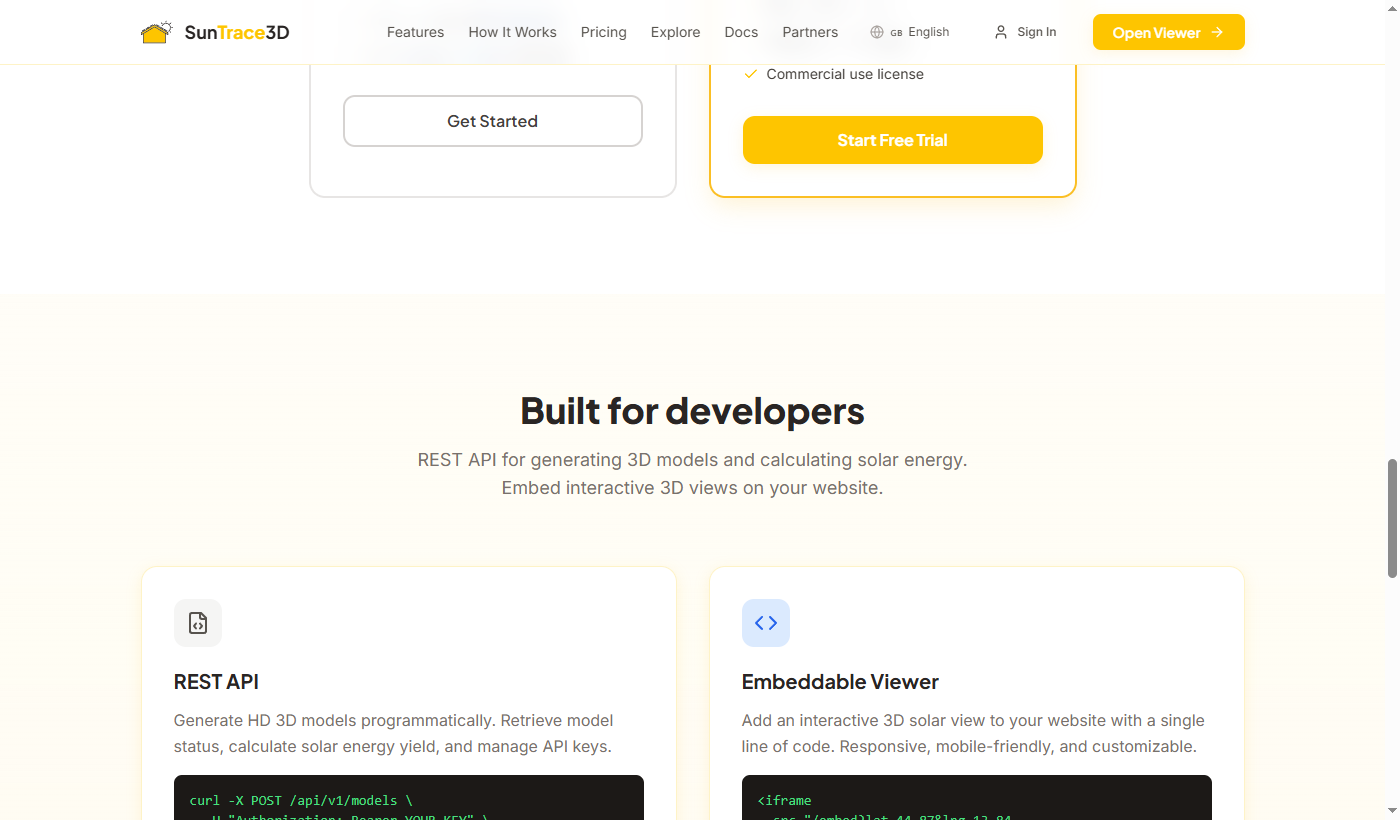
Authentication
All API requests require authentication via a Bearer token in the Authorization header. API keys are managed through the Partner Portal.
Getting an API key
- 1Create an accountSign up at /auth/signup if you haven't already.
- 2Upgrade to BusinessA Business subscription (€99/month) is required for API access. Upgrade from your account settings or the pricing page.
- 3Generate an API keyVisit the Partner Portal and click "Create Key". Copy your key immediately — it won't be shown again.
- 4Use in requestsInclude the key in all API requests as a Bearer token.
curl -H "Authorization: Bearer st_live_abc123def456..." \
  https://suntrace3d.com/api/v1/models
Keep your API key secret
Never expose your API key in client-side JavaScript, public repositories, or front-end code. If your key is compromised, revoke it immediately from the Partner Portal and create a new one.
Generate a 3D Model
Request the generation of an HD 3D city model for a specific geographic location. The model is generated asynchronously — poll the status endpoint to check when it's ready.
/api/v1/modelsRequest Body
latitudenumberrequiredLatitude of the center point (-90 to 90)longitudenumberrequiredLongitude of the center point (-180 to 180)radiusKmnumberRadius of the area to model in km (default: 0.3)Response
idstringrequiredUnique model identifier for status pollingstatusstringrequired"pending" | "processing" | "ready" | "failed"modelUrlstringURL to the GLB model file (when ready)progressnumberGeneration progress 0-100 (when processing)stepstringCurrent generation step descriptioncurl -X POST https://suntrace3d.com/api/v1/models \
-H "Authorization: Bearer YOUR_API_KEY" \
-H "Content-Type: application/json" \
-d '{
"latitude": 44.8699,
"longitude": 13.8420,
"radiusKm": 0.3
}'{
"id": "hd_44.8699_13.8420_0.3",
"status": "pending"
}{
"id": "hd_44.8699_13.8420_0.3",
"status": "ready",
"modelUrl": "https://s3.eu-central-1.amazonaws.com/suntrace-models/hd_44.8699_13.8420_0.3/scene.glb"
}Model caching
If a model for the same location and radius has already been generated, the API returns the cached result immediately with status: "ready". Models are cached in S3 for 30 days. You are not charged for cached results.
Check Model Status
Poll this endpoint to check the status of a model generation request. The model goes through several stages: pending → processing → ready.
/api/v1/models/:idcurl https://suntrace3d.com/api/v1/models/hd_44.8699_13.8420_0.3 \
-H "Authorization: Bearer YOUR_API_KEY"{
"id": "hd_44.8699_13.8420_0.3",
"status": "processing",
"progress": 65,
"step": "Generating textures..."
}{
"id": "hd_44.8699_13.8420_0.3",
"status": "ready",
"modelUrl": "https://s3.eu-central-1.amazonaws.com/suntrace-models/hd_44.8699_13.8420_0.3/scene.glb",
"progress": 100,
"step": null
}Status Values
Polling recommendation
We recommend polling every 5-10 seconds. Typical generation times are 30-120 seconds depending on the area size and server load. The progress field provides a percentage (0-100) to show a progress indicator in your UI.
Calculate Solar Energy
Calculate annual solar energy yield for a specific panel configuration and location. This endpoint uses PVGIS (Photovoltaic Geographical Information System) satellite data for accurate irradiance values.
/api/solar/calculateRequest Body
latitudenumberrequiredLocation latitudelongitudenumberrequiredLocation longitudetiltDegnumberrequiredPanel tilt angle in degrees (0-90)azimuthDegnumberrequiredPanel azimuth in degrees (0=North, 180=South)panelAreaM2numberrequiredTotal panel area in square meterspanelEfficiencynumberrequiredPanel efficiency (0.0 - 1.0, typically 0.18-0.22)shadingLossFractionnumberShading loss factor (0.0-1.0, default: 0)Response
annualYieldKwhnumberrequiredEstimated annual energy yield in kWhpeakPowerKwnumberrequiredPeak power output in kWspecificYieldnumberrequiredSpecific yield in kWh/kWpmonthlyKwhnumber[]requiredArray of 12 monthly kWh valuessourcestringrequiredData source identifier ("pvgis")curl -X POST https://suntrace3d.com/api/solar/calculate \
-H "Content-Type: application/json" \
-d '{
"latitude": 44.8699,
"longitude": 13.8420,
"tiltDeg": 35,
"azimuthDeg": 180,
"panelAreaM2": 20,
"panelEfficiency": 0.20,
"shadingLossFraction": 0.05
}'{
"annualYieldKwh": 4982,
"peakPowerKw": 4.0,
"specificYield": 1246,
"monthlyKwh": [248, 305, 412, 465, 522, 548, 562, 530, 445, 368, 280, 232],
"source": "pvgis"
}No authentication required
The solar calculation endpoint is publicly available and does not require an API key. It uses the PVGIS public API maintained by the European Commission's Joint Research Centre.
Embed Viewer
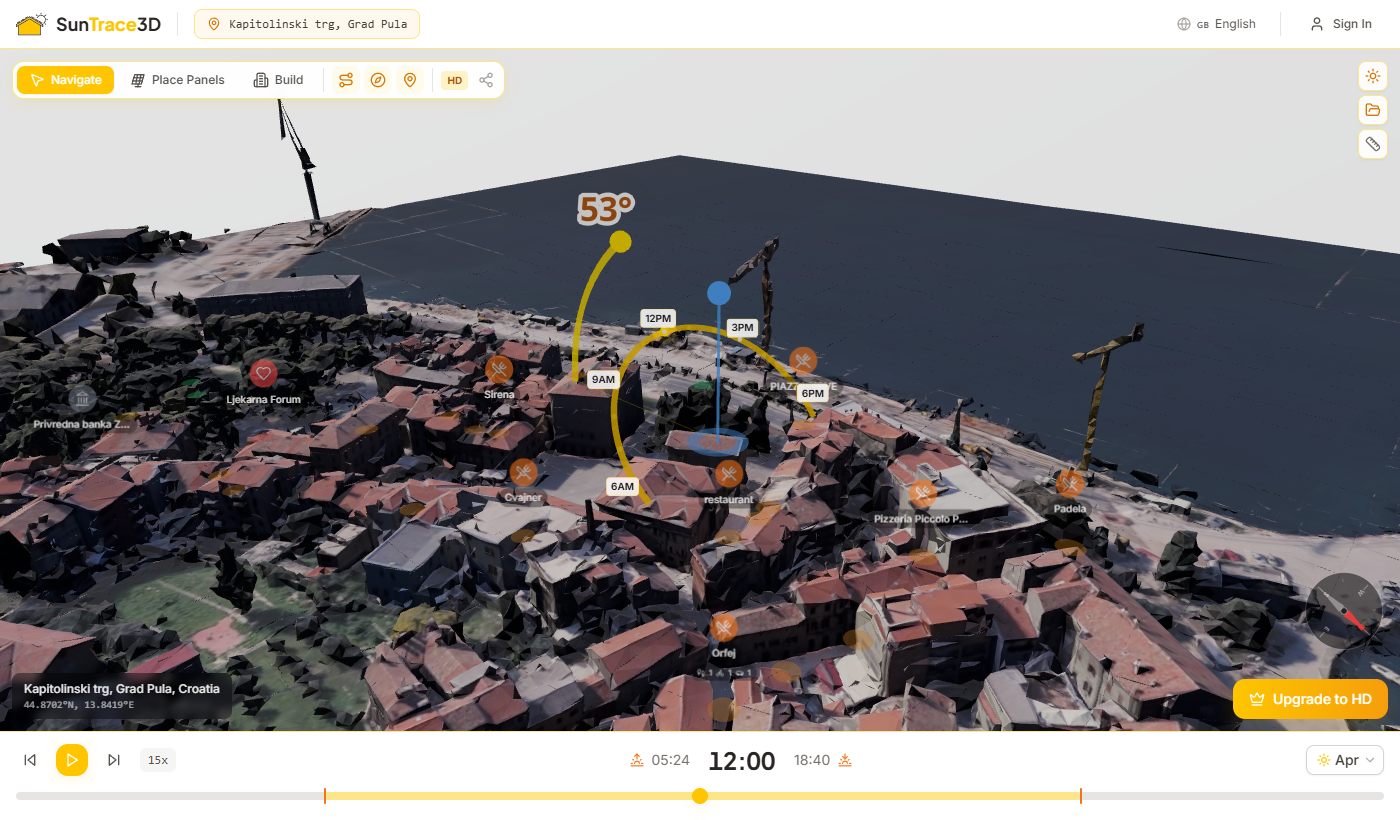
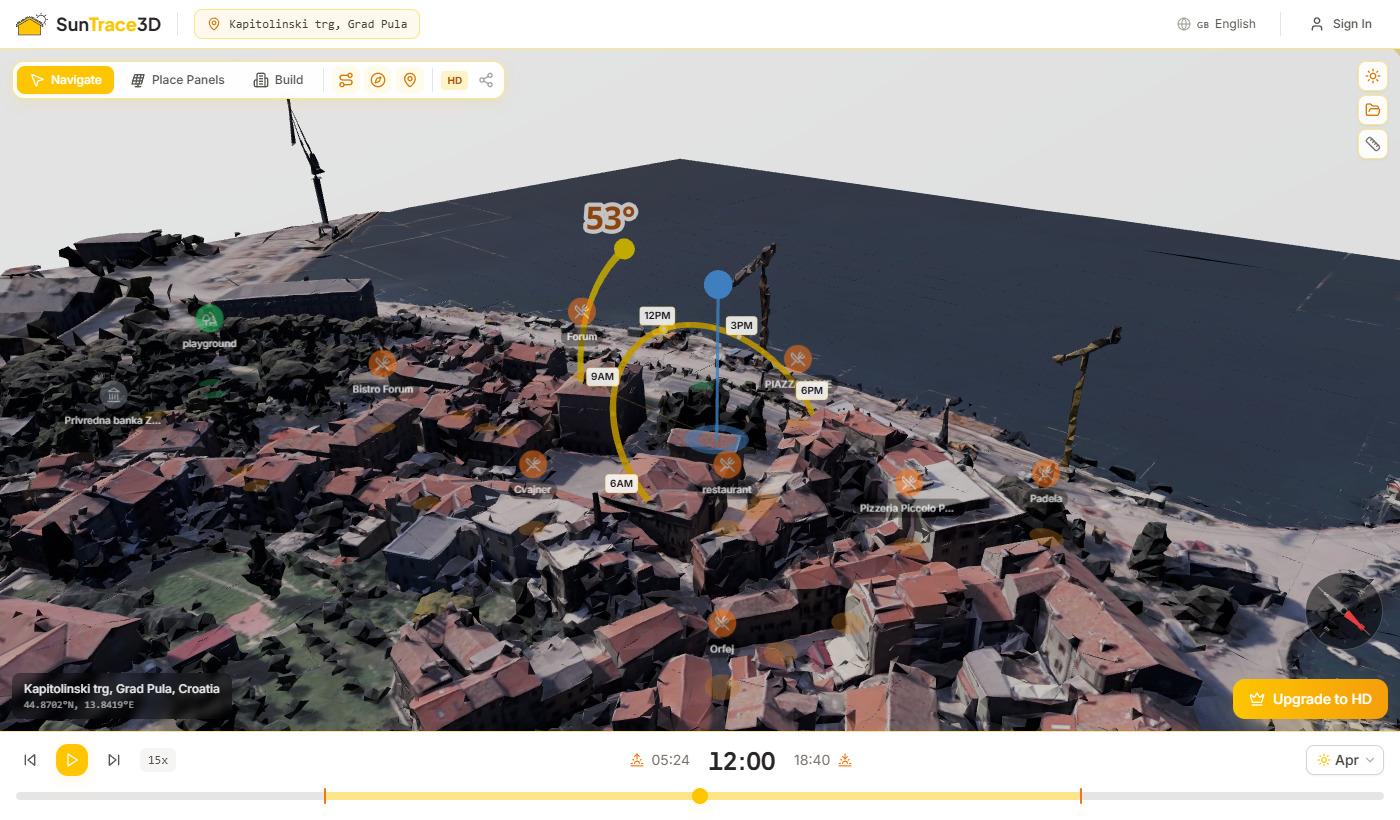
Embed an interactive 3D solar viewer on your website using an iframe. The embed viewer includes time controls for shadow simulation and works on both desktop and mobile.
Embed URL Parameters
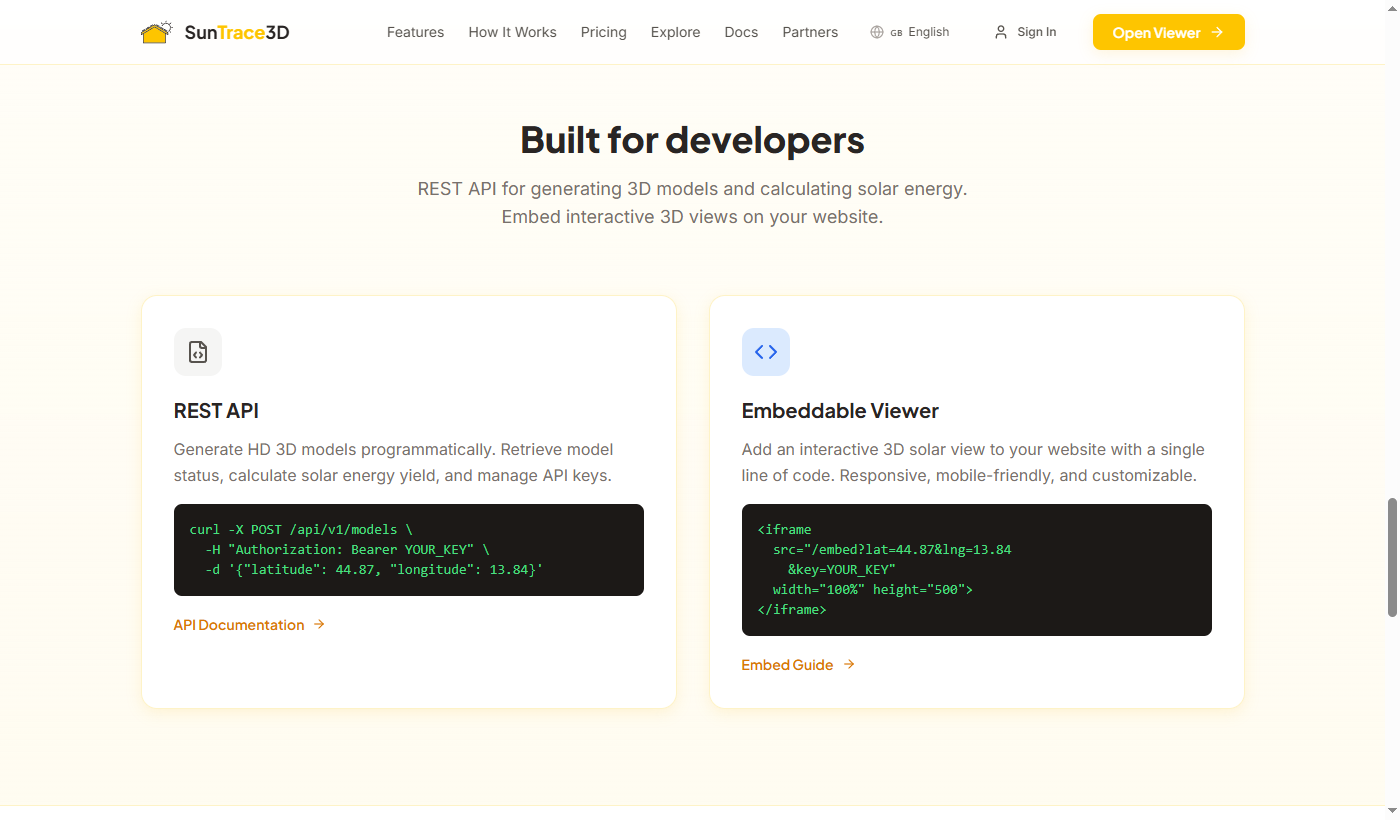
latnumberrequiredLatitude of the location to displaylngnumberrequiredLongitude of the location to displaykeystringrequiredYour API key for authentication<iframe
src="https://suntrace3d.com/embed?lat=44.8699&lng=13.8420&key=YOUR_API_KEY"
width="100%"
height="500"
frameborder="0"
allow="fullscreen"
style="border-radius: 12px; border: 1px solid #e5e7eb;">
</iframe><div style="position: relative; width: 100%; padding-bottom: 56.25%; overflow: hidden; border-radius: 12px;">
<iframe
src="https://suntrace3d.com/embed?lat=44.8699&lng=13.8420&key=YOUR_API_KEY"
style="position: absolute; top: 0; left: 0; width: 100%; height: 100%; border: none;"
allow="fullscreen">
</iframe>
</div>Embed features
Rate Limits
The API enforces rate limits to ensure fair usage and system stability.
{
  "error": "Rate limit exceeded. Maximum 10 generations per hour."
}Error Handling
The API uses standard HTTP status codes. All error responses include a JSON body with an error field describing the problem.
HTTP Status Codes
{
  "error": "latitude and longitude are required"
}{
"error": "Invalid or revoked API key"
}Webhooks
Webhook support for model completion notifications is planned for a future release. Currently, use polling on the status endpoint to check when models are ready.
Coming Soon
Webhook callbacks will send a POST request to your specified URL when model generation completes, eliminating the need for polling. This feature is on our roadmap.
Full Examples
Complete, copy-paste examples for common integration scenarios.
Generate a model and wait for completion
#!/bin/bash
API_KEY="YOUR_API_KEY"
BASE_URL="https://suntrace3d.com"

# 1. Request model generation
echo "Requesting model generation..."
RESPONSE=$(curl -s -X POST "$BASE_URL/api/v1/models" \
  -H "Authorization: Bearer $API_KEY" \
  -H "Content-Type: application/json" \
  -d '{"latitude": 44.8699, "longitude": 13.8420, "radiusKm": 0.3}')

MODEL_ID=$(echo $RESPONSE | jq -r '.id')
STATUS=$(echo $RESPONSE | jq -r '.status')
echo "Model ID: $MODEL_ID (status: $STATUS)"

# 2. Poll until ready
while [ "$STATUS" != "ready" ] && [ "$STATUS" != "failed" ]; do
  sleep 5
  RESPONSE=$(curl -s "$BASE_URL/api/v1/models/$MODEL_ID" \
    -H "Authorization: Bearer $API_KEY")
  STATUS=$(echo $RESPONSE | jq -r '.status')
  PROGRESS=$(echo $RESPONSE | jq -r '.progress // 0')
  echo "Status: $STATUS ($PROGRESS%)"
done

# 3. Get the model URL
if [ "$STATUS" = "ready" ]; then
  MODEL_URL=$(echo $RESPONSE | jq -r '.modelUrl')
  echo "Model ready: $MODEL_URL"
else
  echo "Generation failed"
fi
JavaScript/Node.js integration
const API_KEY = 'YOUR_API_KEY';
const BASE_URL = 'https://suntrace3d.com';

async function generateModel(lat, lng) {
  // 1. Request generation
  const res = await fetch(`${BASE_URL}/api/v1/models`, {
    method: 'POST',
    headers: {
      'Authorization': `Bearer ${API_KEY}`,
      'Content-Type': 'application/json',
    },
    body: JSON.stringify({ latitude: lat, longitude: lng }),
  });

  const { id, status, modelUrl } = await res.json();

  // If already cached, return immediately
  if (status === 'ready') return { id, modelUrl };

  // 2. Poll until ready
  return pollStatus(id);
}

async function pollStatus(modelId) {
  while (true) {
    await new Promise(r => setTimeout(r, 5000)); // Wait 5s

    const res = await fetch(`${BASE_URL}/api/v1/models/${modelId}`, {
      headers: { 'Authorization': `Bearer ${API_KEY}` },
    });

    const data = await res.json();
    console.log(`Status: ${data.status} (${data.progress || 0}%)`);

    if (data.status === 'ready') return data;
    if (data.status === 'failed') throw new Error('Generation failed');
  }
}

// Usage
generateModel(44.8699, 13.8420)
  .then(data => console.log('Model URL:', data.modelUrl))
  .catch(err => console.error(err));
Python integration
import requests
import time

API_KEY = "YOUR_API_KEY"
BASE_URL = "https://suntrace3d.com"

def generate_model(lat: float, lng: float) -> dict:
    """Generate an HD 3D model and wait for completion."""
    # Request generation
    res = requests.post(
        f"{BASE_URL}/api/v1/models",
        headers={"Authorization": f"Bearer {API_KEY}"},
        json={"latitude": lat, "longitude": lng, "radiusKm": 0.3},
    )
    data = res.json()

    if data["status"] == "ready":
        return data

    # Poll until ready
    model_id = data["id"]
    while True:
        time.sleep(5)
        res = requests.get(
            f"{BASE_URL}/api/v1/models/{model_id}",
            headers={"Authorization": f"Bearer {API_KEY}"},
        )
        data = res.json()
        print(f"Status: {data['status']} ({data.get('progress', 0)}%)")

        if data["status"] == "ready":
            return data
        if data["status"] == "failed":
            raise Exception("Generation failed")

def calculate_solar(lat: float, lng: float, tilt: float = 35, azimuth: float = 180) -> dict:
    """Calculate solar energy yield for a panel configuration."""
    res = requests.post(
        f"{BASE_URL}/api/solar/calculate",
        json={
            "latitude": lat,
            "longitude": lng,
            "tiltDeg": tilt,
            "azimuthDeg": azimuth,
            "panelAreaM2": 20,
            "panelEfficiency": 0.20,
        },
    )
    return res.json()

# Usage
model = generate_model(44.8699, 13.8420)
print(f"Model URL: {model['modelUrl']}")

solar = calculate_solar(44.8699, 13.8420)
print(f"Annual yield: {solar['annualYieldKwh']} kWh")
print(f"Monthly: {solar['monthlyKwh']}")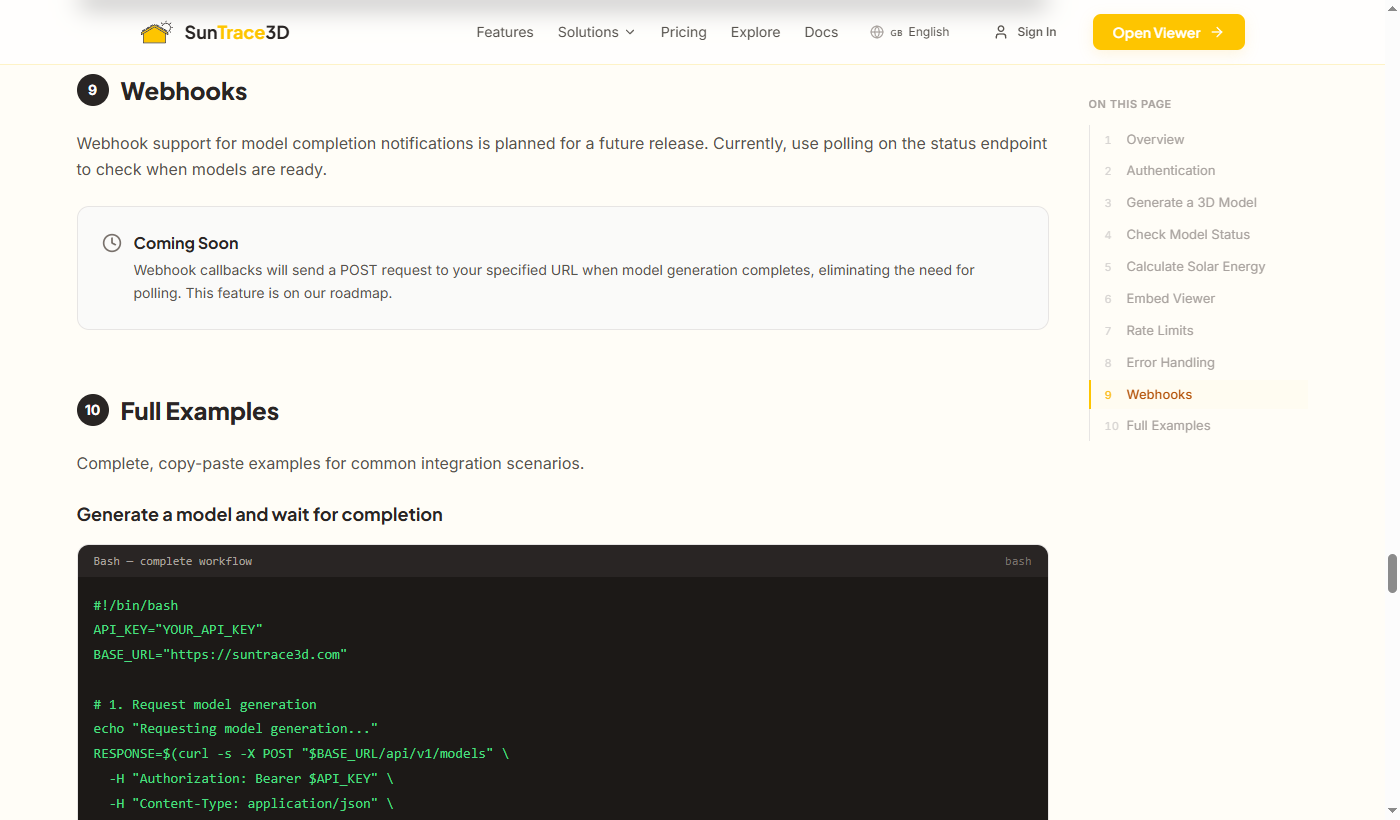
AI Agent Integration
AI agents (chatbots, virtual assistants) can create sessions to redirect users to SunTrace3D with pre-configured Solar Wizard settings and optional automatic roof detection. The 3D model generates when the user opens the link (~1-2 minutes).
Endpoints
/api/mcp-sessionsCreate agent session with wizard params/api/mcp-sessions/:idCheck session & model status/api/mcp-sessionsRequest Parameters
agentNamestringrequiredAgent identifier (required)latitudenumberrequiredLocation center latitudelongitudenumberrequiredLocation center longitudewizardGoalstringWizard goal presetwizardKwhnumberMonthly kWh for cover_billroofLatnumberRoof latitude for auto-clickroofLngnumberRoof longitude for auto-click{
"agentName": "ChatGPT",
"latitude": 44.8699,
"longitude": 13.8420,
"wizardGoal": "cover_bill",
"wizardKwh": 350,
"roofLat": 44.8701,
"roofLng": 13.8418
}{
"sessionId": "clxyz...",
"viewerUrl": "https://suntrace3d.com/viewer?session=clxyz...&lat=44.869900&lng=13.842000&wizard=cover_bill&wizardKwh=350&roofLat=44.8701000&roofLng=13.8418000",
"status": "created",
"modelStatus": "not_generated",
"agentName": "ChatGPT"
}No pre-generation: Agent sessions do not trigger model generation. The 3D model generates when the user opens the viewer link (~1-2 minutes, loading animation shown). Pro users automatically get HD quality; free users get SD.
Recommended Workflows
URL Parameters (Viewer)
wizardstringPre-select wizard goalwizardKwhnumberMonthly kWh for cover_billroofLatnumberAuto-click roof latituderoofLngnumberAuto-click roof longitudesessionstringMCP session ID (auto-included by API)Python Example
import requests

def create_solar_link(lat, lng, roof_lat=None, roof_lng=None, monthly_kwh=None):
    """Create an agent session and return the viewer URL."""
    payload = {
        "agentName": "MySolarBot",
        "latitude": lat,
        "longitude": lng,
        "wizardGoal": "cover_bill" if monthly_kwh else "maximize_energy",
    }
    if monthly_kwh:
        payload["wizardKwh"] = monthly_kwh
    if roof_lat is not None and roof_lng is not None:
        payload["roofLat"] = roof_lat
        payload["roofLng"] = roof_lng

    res = requests.post("https://suntrace3d.com/api/mcp-sessions", json=payload)
    res.raise_for_status()
    return res.json()["viewerUrl"]

# Usage — send this link to the user
url = create_solar_link(
    lat=44.8699, lng=13.8420,
    roof_lat=44.8701, roof_lng=13.8418,
    monthly_kwh=350,
)
print(f"Send this to your user: {url}")
# User clicks -> model generates (~1-2 min) -> wizard auto-opens -> panels placed
Important Notes
- Every API request must include an agentName identifying the calling agent. This is required for analytics and usage tracking.
- roofLat/roofLng should point as precisely as possible to the center of the desired roof surface. The system raycasts downward at that GPS point.
- When roofLat/roofLng are provided, the system automatically attempts to detect the roof surface at those coordinates. If the auto-detection misses, the user can click manually or use "Start Over".
- Users can always click "Start Over" to remove auto-placed panels and select a different roof.
- The Solar Wizard requires a Pro subscription. Free users will see an upgrade prompt.
- Agent sessions do not pre-generate models. The 3D model generates when the user opens the link (~1-2 minutes). Pro users get HD quality; free users can explore demo locations.
New to SunTrace3D?
Check out the User Guide for a complete walkthrough of the 3D viewer, shadow simulation, and solar panel analysis features.
User Guide