Shadow Studies & Right-to-Light Compliance — Done in Minutes
Replace expensive desktop software with browser-based 3D shadow analysis. Assess BRE 209 daylight compliance, visualize sun paths, and generate professional reports instantly.
Without SunTrace3D
€2,000–€10,000/year for software
Desktop shadow analysis tools require expensive licenses, installation, and training.
Complex setup for each project
Importing terrain, buildings, and setting up sun positions takes hours per project.
Clients can't read 2D diagrams
Sun path diagrams and shadow plots are meaningless to non-technical stakeholders.
With SunTrace3D
Instant 3D context
Real building geometry loaded automatically. No need to model surroundings — they're already there.
Interactive client presentations
Clients see real shadows moving across real buildings in 3D. No interpretation needed.
Right-to-light & compliance
Assess daylight access to neighboring windows with BRE 209 analysis. Generate compliance evidence for planning submissions alongside shadow impact studies.
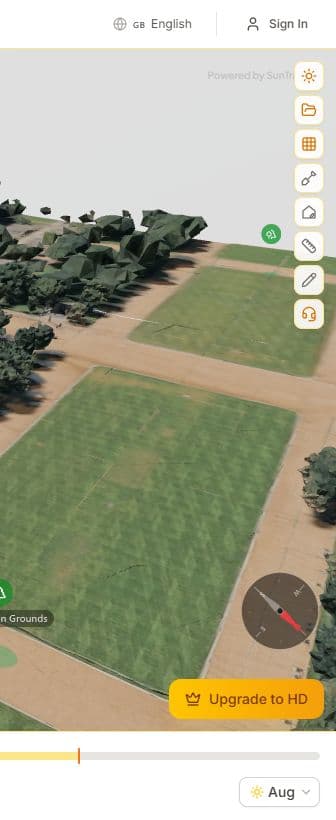
Right-to-Light Analysis
Assess daylight access to windows using BRE 209 guidelines. Identify which windows fall below recommended thresholds and generate compliance evidence for planning submissions.
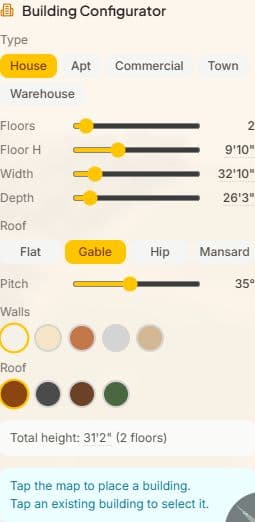
Building Configurator
Design buildings before they're built. Choose building type, dimensions, roof style, and materials. Place your design on the map and analyze shadow impact on surroundings.
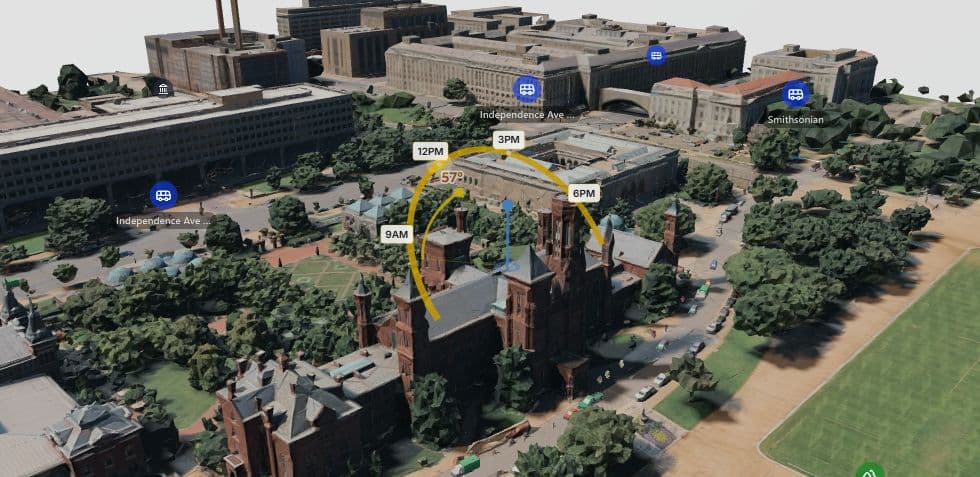
Real-Time Shadow Simulation
Scrub through any hour of any day to see exactly where shadows fall on your property. Watch how sunlight changes from sunrise to sunset across all four seasons.
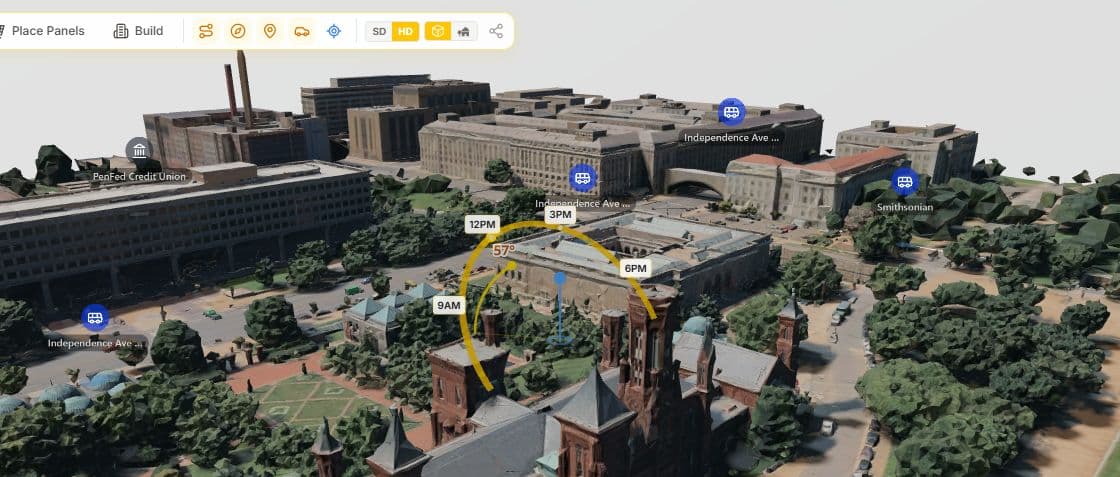
Sun Path Visualization
View the sun's arc across the sky for any date. See exactly when and where direct sunlight reaches different parts of your site throughout the year.
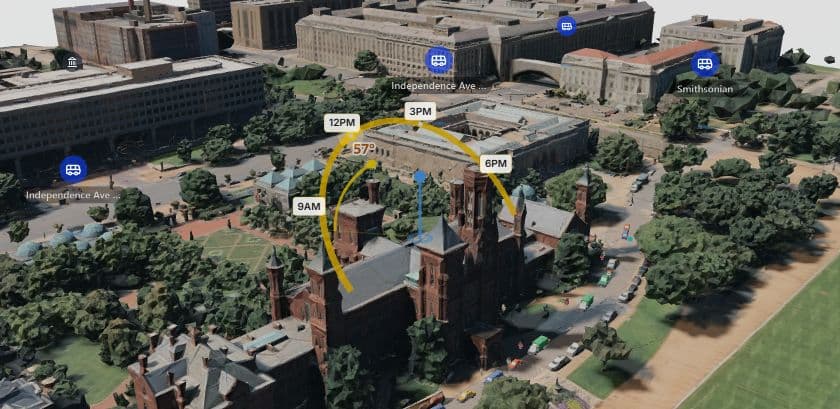
3D Measurement Tool
Measure distances between buildings, trees, and property boundaries in full 3D. Essential for setback calculations and shadow impact assessments.
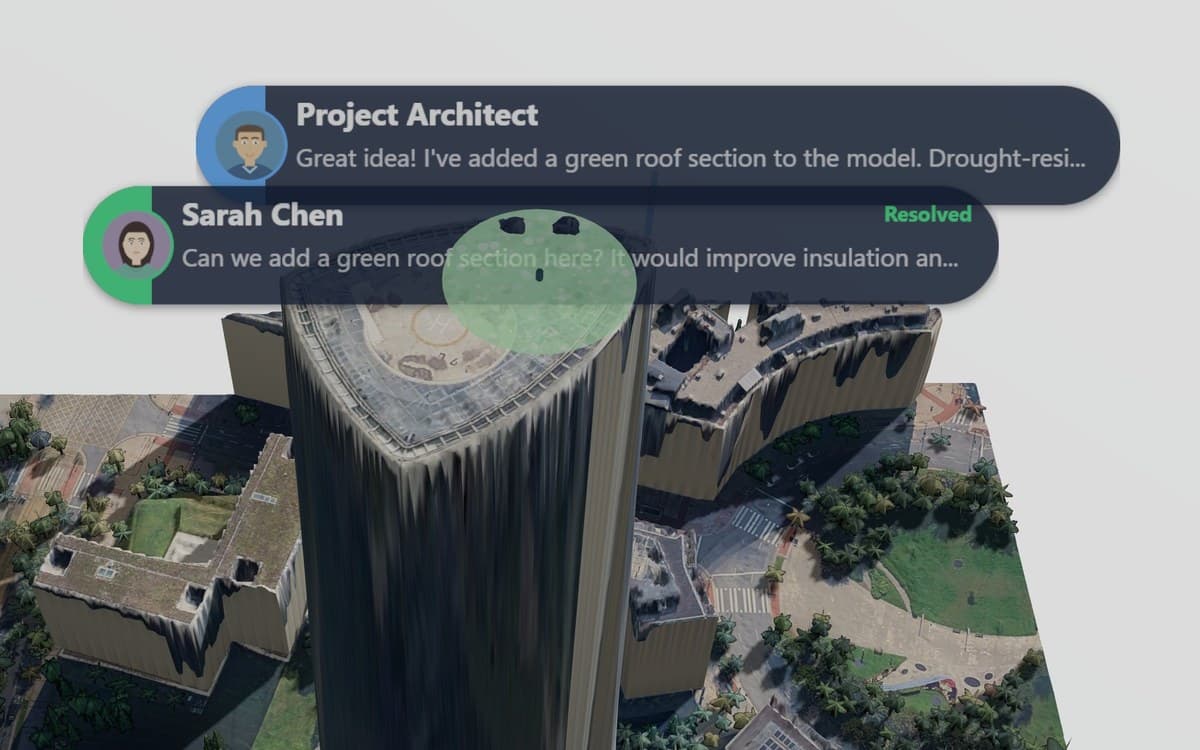
Client Feedback Pinned in 3D
Share a link and your client comments directly on the model — no account or software needed. Each pin remembers the view it was written from, so feedback never gets lost in translation.

Professional PDF Reports
Generate client-ready solar site reports with 3D renders, system specs, monthly production charts, financial analysis, and environmental impact data.
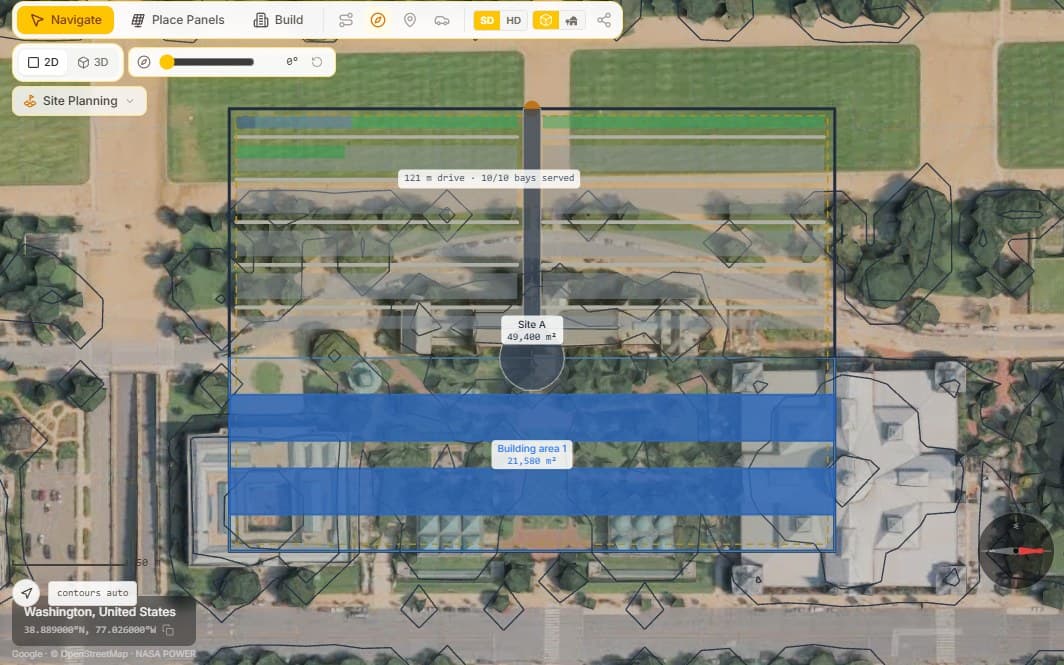
Site Planning & Feasibility
Draw a parcel and see what it yields — units, floor area, parking, cost and a zoning check — solved live on real 3D terrain. Business and Enterprise.
Explore Site PlanningSee It in Action
How Architects Collect Client Feedback Directly on a 3D Model
Draw a Building on an Empty Lot and Design Its Solar in 40 Seconds
How It Works
From address to sunlight analysis in under a minute
Load the Site in 3D
Enter the project address and get a photorealistic 3D model of the site and surrounding buildings instantly.
Add Your Design & Analyze
Use the building configurator to place your proposed building. Simulate shadows across the full year.
Export Professional Reports
Generate PDF shadow studies with 3D renders, sun path diagrams, and overshadowing data for planning submissions.
Why Switch to SunTrace3D?
Traditional Tools
- €2,000–€10,000/year for desktop CAD
- Hours to set up each project
- 2D shadow plots clients can't read
- Separate tools for sun path & shadow
SunTrace3D
- €9/month — browser-based
- Real 3D context loaded in seconds
- Interactive 3D shadow walkthrough
- Everything in one browser tab
Frequently Asked Questions
Is this suitable for planning permission submissions?
SunTrace3D provides shadow studies based on real 3D building geometry and accurate sun positions. Many architects use it for initial feasibility and client presentations. For formal submissions, check your local authority's specific requirements.
Can I model a proposed building that doesn't exist yet?
Yes. The building configurator lets you design buildings with custom dimensions, roof types, and materials, then place them on the site to analyze their shadow impact.
How accurate are the 3D models?
Models are generated from Google's photogrammetry data at up to LOD6 (3-meter detail). Building heights and geometry reflect real-world conditions.
Can I add trees and landscaping elements?
Yes. You can add trees, fences, pergolas, greenhouses, and custom obstacles. Each object casts accurate shadows in the simulation.
Does it show sun angles and altitude?
Yes. The sun path visualization shows the complete solar arc for any date, with altitude and azimuth data. The compass overlay shows cardinal directions.
Ready to run your first shadow study?
Start free — no credit card needed